
Learning how to fix thermal throttling and overheating during heavy mobile gaming starts with accepting one hard fact: your phone is not slowing down because it is broken. If you want to fix thermal throttling overheating mobile gaming problems for good, measurement comes before tweaks. It is slowing down because its chip is protecting itself. Every Android SoC ships with a thermal ceiling, and when skin temperature or junction temperature crosses it, the governor cuts CPU and GPU clocks in steps. The frame rate you lose is the price of that protection. The goal of this guide is not to defeat the protection — you cannot, and trying with modified kernels or disabled thermal daemons is how batteries get damaged. The goal is to reduce how much heat you generate in the first place, and to remove the heat you do generate faster, so the ceiling arrives later or never.
Prove It Is Heat Before You Treat It
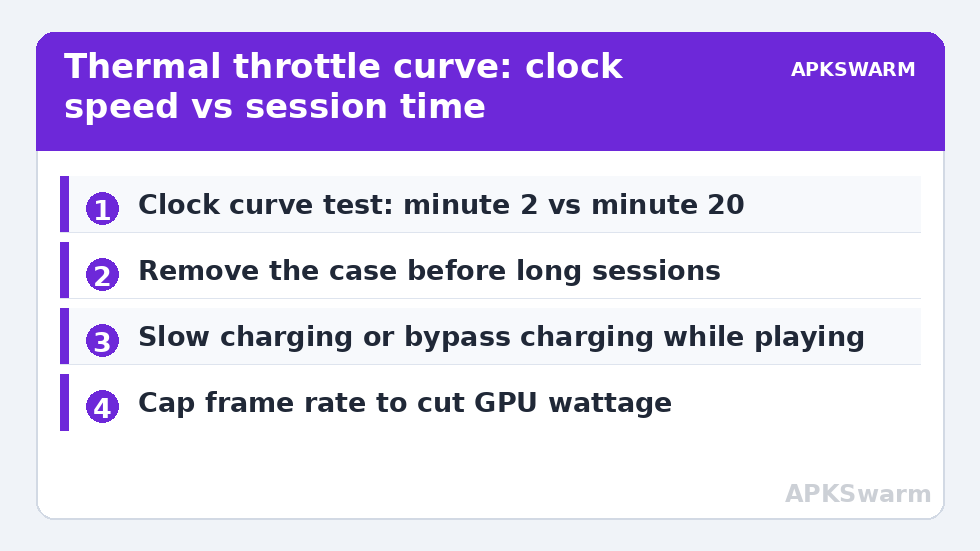
Throttling has a signature pattern that separates it from every other cause of slowdowns. The game runs at full speed for the first ten to twenty minutes, then performance decays gradually rather than dropping in one instant. Clock speed graphs sag in a smooth curve. If your frame rate falls off a cliff the moment a specific level loads, that is a shader or storage problem, not heat. Use an overlay that logs values over time so you can see the curve instead of guessing from feel.
Record three numbers during a session: surface temperature of the back panel near the camera module, battery temperature from a monitoring app, and the GPU clock at minute two versus minute twenty. Battery temperature above roughly 43°C during play, or a GPU clock that has shed 25–35% of its cold-start value, confirms thermal intervention. If clocks stay flat while frames drop, stop here and work through the complete troubleshooting guide instead — your bottleneck is somewhere else.
Fix Thermal Throttling Overheating Mobile Gaming: Causes Ranked
1. The Case You Are Holding
The single largest controllable factor is the case. A thick TPU or wallet case insulates the exact surfaces the phone uses to dump heat into the air and your hand. Removing it during long sessions routinely buys several degrees, which translates directly into minutes before the throttle curve bends. This fix is free, reversible, and should be tried before anything else.
2. Ambient Temperature and Airflow
A phone in a 32°C room has far less headroom than the same phone at 22°C. Playing in direct sunlight is the worst case: the display heats from outside while the chip heats from inside. A small USB desk fan aimed at the back of the phone is genuinely effective; active Peltier coolers that clamp to the back panel are more effective still, but only the models with a real thermoelectric plate and their own fan — passive metal plates do almost nothing.
3. Charging While Playing
Fast charging converts a meaningful share of its wattage into heat inside the battery, stacked on top of SoC heat. If you play plugged in, use a slow 5W–10W charger or a charge-separation / bypass-charging mode if your phone offers one (gaming phones from ASUS, RedMagic, and iQOO do; most mainstream phones do not). Never play on a pillow or bed — soft surfaces seal the back panel completely.
4. Workload Choices Inside the Game
Heat scales with rendering load. Dropping internal resolution one step, capping the frame rate at 60 instead of chasing 90 or 120, and disabling real-time shadows reduces GPU power draw disproportionately to the visual loss. In emulators the equivalent levers are rendering resolution multiplier and per-game speed hacks; see frame drops that appear after 15 minutes for the interaction between these settings and long sessions.
Safer Settings Changes, in Order
- Lower the frame-rate target. A locked 60 fps at a lower clock beats an unlocked target that oscillates between 90 and 45 as clocks saw up and down. Oscillation feels worse than a slightly lower steady rate.
- Reduce resolution before detail. GPU power rises steeply with pixel count. One notch of render scale usually saves more heat than turning off every post-processing toggle combined.
- Turn off 5G during Wi-Fi sessions. The modem is a second heat source most players forget. Airplane mode with Wi-Fi re-enabled removes it entirely for local or Wi-Fi play.
- Disable background sync and recording. Screen recording and cloud photo uploads during play add CPU load and heat. Pause them for the session. Broader pre-session cleanup is covered in reducing background RAM consumption, which also frees memory headroom.
- Use the in-game or system performance profile honestly. “Performance mode” on most phones raises the thermal ceiling slightly but also raises sustained power — it can make throttling arrive earlier in long sessions even while benchmarks look better. Balanced mode is often the fastest setting at minute thirty.
What Not to Do
Do not put a hot phone in a freezer or against ice. Rapid contraction and condensation inside the device can crack solder joints and fog camera lenses internally. Do not disable the thermal HAL, delete thermald configs on a rooted device, or flash kernels advertising “no throttling” — these remove the only thing standing between a hot battery and a swollen one. Do not buy graphite or copper “cooling stickers” expecting transformation; at best they spread heat marginally across the back panel.
More of the diagnostics and fixes in this category live on the Performance Fixes index.
All figures are estimates based on typical titles and stock settings; individual games vary widely.
Confirming the Fix Held
Repeat your original test exactly: same game or emulator scene, same duration, same room. Compare the minute-twenty GPU clock and battery temperature against your baseline notes. A successful round of changes shows up as a flatter clock curve and a battery temperature at least 3–5°C lower at the same timestamp. If nothing changed, the constraint is the phone’s physical design — thin glass-backed flagships from several generations simply cannot sustain peak clocks, and the honest remedy is the workload reductions above, not more aggressive tweaks. Also check the related guide on micro-stuttering on Dimensity chips if the symptom is hitching rather than a gradual slowdown.
Handhelds and Gaming Phones Are Not Exempt
Owners of dedicated handhelds and gaming phones sometimes assume active cooling ends this conversation. It changes the numbers, not the physics. A fan-equipped handheld sustains higher clocks for longer, but its heatsink still saturates in a hot room, and its battery — often sealed against a warm board — still ages faster when every session runs hot. The same measurement discipline applies: log the clocks, compare minute two against minute twenty, and treat a sagging curve as information rather than a defect. Handhelds add one extra variable phones lack: intake blockage. A handheld resting on a lap or blanket with its vents covered can throttle faster than a bare phone in open air, and docked play with a blocked rear vent is the classic silent case. Where you hold the device matters too — palms over the vent zones on some models measurably raise sustained temperatures. Cool the room, clear the vents, and the same ranked fixes from the top of this guide apply unchanged.
Frequently Asked Questions
Is thermal throttling bad for my phone?
No — throttling is the protection working as designed. Sustained high temperature is what ages a battery; the clock reduction exists specifically to keep the battery and SoC within safe limits. Removing protection mechanisms is what causes damage, not the throttling itself.
Do clip-on phone coolers actually work?
Active Peltier coolers with a fan genuinely lower back-panel temperature and can delay or prevent throttling in long sessions. Passive plates and stickers do very little. A simple desk fan pointed at the phone captures much of the benefit at lower cost.
Why does my phone get hotter in some games than others?
Games that push high frame rates, high resolution, and sustained GPU effects draw more sustained power. A 2D title at 60 fps may never throttle, while a 3D title at 120 fps on the same phone throttles in fifteen minutes. Heat follows sustained wattage, not the game’s file size or fame.
Should I use performance mode for long sessions?
Often no. Performance modes raise power limits, which raises peak frame rates early but can bring the thermal ceiling forward. For sessions longer than about twenty minutes, balanced mode frequently delivers a higher average frame rate because the clocks stay steadier.
Can a software update fix overheating?
Sometimes. Manufacturers do ship thermal-policy and driver updates that change sustained behaviour, and a specific game patch can reduce load. Keep the phone and your games updated, but treat updates as a possible improvement, not a guaranteed cure.