Your games ran fine on Tuesday, the phone updated overnight, and now everything judders. If you are trying to fix an emulator slow after android update problem, the good news is that updates rarely make hardware slower — they reset, rebuild, or re-permit the things around it. A major Android update can wipe shader caches, revoke storage grants, restore battery restrictions you had lifted, change the default graphics driver, and reset refresh-rate behaviour, all in one reboot. Each of those makes an emulator slow after android update installs, and each has a different fix. This guide works through them in the order they most often occur, using your own dumped games and homebrew as test material, so you change one thing at a time and keep the change that actually helped.
First, Pin Down What Kind of Slowdown You Have
Not every post-update complaint is the same fault, and the fix depends on the shape of it. Test with one game you know well, in one scene you can repeat, and watch what the emulator’s own statistics say. If the speed percentage dips in busy scenes but holds in menus, you are looking at rendering load or a rebuilt shader cache. If speed is uniformly low everywhere, suspect a reset setting: a capped frame rate, a changed graphics backend, or a battery restriction strangling the app. If the game stutters in fixed repeating hitches rather than running slowly, suspect background work — updates leave behind app optimisation, media re-indexing, and queued Play Store updates that compete for the first day or so.
| Post-update symptom | Most likely update side effect | First check |
|---|---|---|
| Hitches that fade over repeated sessions | Shader caches were rebuilt from zero | Play the same scene twice and compare |
| Uniformly low speed in every game | Backend, frame cap, or battery setting reset | Audit emulator and system settings |
| Library empty or game crashes on launch | Storage grant revoked | Re-grant the games folder |
| Fine on day one, worse on day three | New thermal or driver behaviour | Compare clocks cold vs twenty minutes in |
Also note whether native games slowed down too. If they did, the cause is system-wide — driver or thermal policy — and emulator settings will not cure it. If only one emulator is affected, the cause lives in that app’s settings or its permissions, which is a much shorter search.
The Shader Cache Rebuild Nobody Warns You About
Major updates frequently invalidate compiled shader caches, because the new system ships a new GPU driver and old compiled programs cannot be trusted against it. The result feels like a downgrade: every effect, every new area, every special move compiles a shader the first time it appears, producing a hitch that was not there last week. Crucially, it improves on its own. Play the same demanding scene two or three times across separate sessions; if each run is smoother, your cache is rebuilding healthily and the correct fix is patience, not intervention.
This is exactly the situation where the internet’s favourite advice backfires. Clearing caches again restarts the rebuild from zero, as the detailed guide to clearing the GPU shader cache to stop stutter explains — that procedure is for corrupt caches with visible artefacts, not for a healthy rebuild. Give a post-update emulator at least three sessions on your regular games before concluding anything is broken. Community reports typically describe compilation hitches fading over the first few hours of play after a driver-changing update, though the exact pace depends on how many different games you rotate through.
Re-Grant Storage Before You Blame Performance
Android version jumps tighten storage rules, and folder grants made under the old version sometimes do not survive. An emulator that lost its grant may fail to find texture packs, may stall while scanning a library it can only partly see, or may crash outright on launch — the full signature list is covered in the guide to fixing game crashes caused by scoped storage. Slow, stuttery library browsing after an update is often this, not a performance regression at all.
- Open the emulator’s library or directories setting and re-select your games folder with the system picker, even if the path still displays correctly.
- Check that save and texture-pack folders inside the same tree are still visible in a file manager.
- Reboot once after re-granting, then test a game fully before changing any performance setting.
- If a grant will not stick, move that library into the emulator’s own app folder, where no grant is needed.
Do this step before touching rendering settings. Performance tuning on top of a permissions fault produces confusing results, because half the stalls were the app waiting on storage it could not reach.
Audit the Settings the Update Quietly Reset
System updates restore defaults in more places than most people expect, and OEM updates are especially fond of re-applying battery and display policies. Work through this checklist against the emulator you actually use, changing nothing else until it is done. In the emulator itself, confirm the graphics backend is still the one that performed best for you — many Android emulators favour Vulkan on modern hardware, and a flipped backend alone can cost a large slice of speed. Confirm any frame-rate cap, resolution scale, and asynchronous shader option are where you left them, since app updates bundled with system updates can reset profiles.
At system level, check three things. First, battery: if you had the emulator set to Unrestricted, verify it still is, because an update restoring Optimised can throttle long sessions. Second, display: confirm the refresh rate mode and any per-app rate assignment survived, since a panel that drops to 60 Hz makes a previously smooth setup feel broken. Third, game mode: OEM game spaces sometimes lose their app lists in an update, so re-add the emulator if its performance profile no longer engages. Our APKSwarm homepage collects the wider troubleshooting library if a setting’s location on your brand is not obvious. None of these checks costs more than a minute, and in community troubleshooting threads they account for a large share of post-update slowdowns that get blamed on the update itself.
To see whether what remains after these fixes is a frame-rate problem or a frame-pacing one, put your target frame rate and your panel’s refresh rate into the frame calculator below and check whether the two divide evenly — uneven pairings feel slow even at full speed.
All figures are estimates based on typical titles and stock settings; individual games vary widely.
When the New Driver Really Is the Problem
Sometimes the update genuinely did change performance: a new GPU driver can regress specific titles or emulator cores, and a new thermal policy can hold clocks lower than the old one did. Diagnose rather than assume. Run the same scene cold and again after twenty minutes; if speed only sags when warm, you are dealing with a stricter thermal policy, and session-length fixes — shorter sessions, a cooler room, lower resolution scale — are the honest remedies. If speed is low from the first cold minute in one specific game but fine in others, that title-plus-driver combination is the fault, and your options are switching that game’s backend if the emulator offers one, or waiting for the emulator or system patch that addresses it.
While you wait, resist two temptations. Do not install an older emulator build to escape the driver: old builds accumulate worse incompatibilities and miss security fixes. And do not chase community shader packs or configuration files of unknown origin — apart from the legal line this site holds, that dumped games from your own cartridges and discs are the test material, borrowed shader caches rarely match your driver version and can cause exactly the artefacts you are trying to escape. If crackling sound arrived alongside the slowdown, that is a separate, fixable channel: work through fixing crackling audio with sample rate matching after speed is stable.
A Three-Day Rule Before Drastic Action
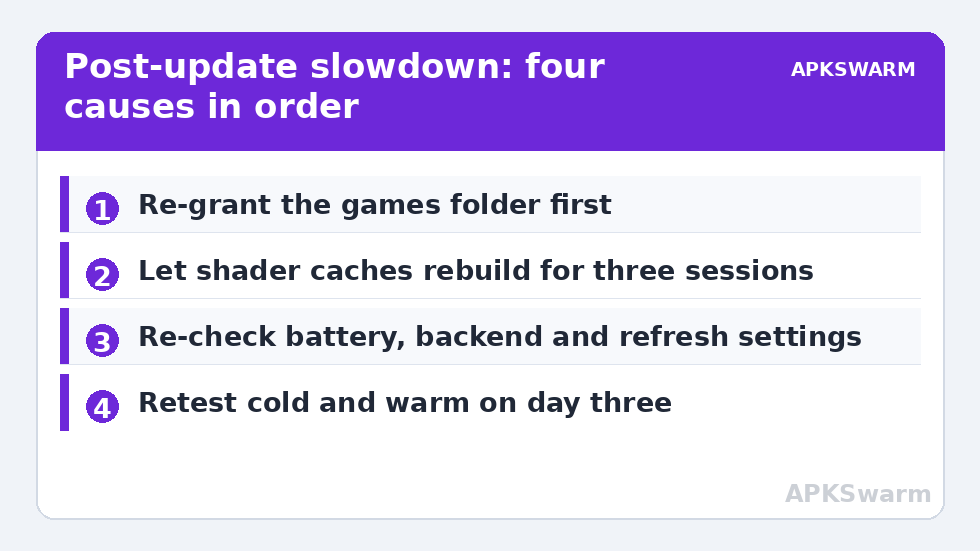
Updates keep working after the reboot finishes. App optimisation, photo and media indexing, and deferred maintenance run across the first day or two, and they steal exactly the CPU and storage bandwidth an emulator wants. Before factory resets, downgrade schemes, or any other drastic step, apply this rule: re-grant storage, audit the reset settings, let the shader cache rebuild across a few sessions, and give background optimisation a full charge cycle or two to settle. Measure again on day three with the same game and scene as your first test.
- Day one: re-grant folders, audit battery, backend, and refresh settings, and note your baseline speed in a known scene.
- Day two: replay the same scenes to let shaders rebuild; check Battery usage for update-related background consumers.
- Day three: retest cold and warm. Only if the deficit is identical and repeatable do you have a genuine regression to report or work around.
If Dolphin in particular stayed stuttery after everything above, the remaining cause is usually its shader pipeline specifically, and the dedicated walkthrough of the Dolphin Ubershaders stutter fix goes deeper than this general guide can. Everything else that still feels slow after day three deserves the same one-variable-at-a-time discipline you started with — the update changed a finite list of things, and methodically re-checking that list finds the one that matters on your phone.
Frequently Asked Questions
Why did my emulator get slower right after an Android update?
Usually because the update reset something around the emulator rather than slowing the hardware: shader caches were invalidated by a new GPU driver, a storage grant was revoked, battery optimisation was restored, or the graphics backend or refresh rate reverted to a default. Audit those four before assuming the update itself is at fault.
Should I clear the shader cache after a system update?
No. The update has most likely already invalidated the old cache, which is why first sessions hitch. Clearing it again only restarts the rebuild. Judge performance from the second or third session in the same game, once shaders have recompiled.
How long do post-update slowdowns normally last?
Background optimisation and indexing typically settle within one to three days of normal use and charging, and shader rebuilds fade across your first few sessions per game. A deficit that is unchanged and repeatable after three days is worth treating as a real regression.
Can an update revoke my emulator’s access to my games folder?
Yes. Major Android version changes tighten storage rules and sometimes drop folder grants made under the old version. The files are still there; re-select the folder in the emulator using the system picker and the library and performance usually return together.
Is it safe to roll back the Android update to restore performance?
Generally no, and usually impractical. Downgrading typically requires a factory reset and removes security patches. Work the reset-settings checklist and the three-day rule first — most post-update slowdowns turn out to be a setting or a cache, both of which are free to fix.