Follow this 8bitdo pro 2 setup android guide and the first decision comes before pairing: which of the Pro 2’s four modes to use. The Pro 2 is a multi-host controller with a physical mode switch on the back — S (Switch), A (Android/Apple-family D-input behaviour), D (D-input), and X (X-input) — and the letter you choose changes how Android names the pad, which buttons report correctly, and whether the extra back buttons and gyro are even visible to the system. Most Android grief with this excellent pad is simply the switch sitting in the wrong letter.
Mode selection in this 8bitdo pro 2 setup android guide
| Switch position | Protocol | Android behaviour | Use it for |
|---|---|---|---|
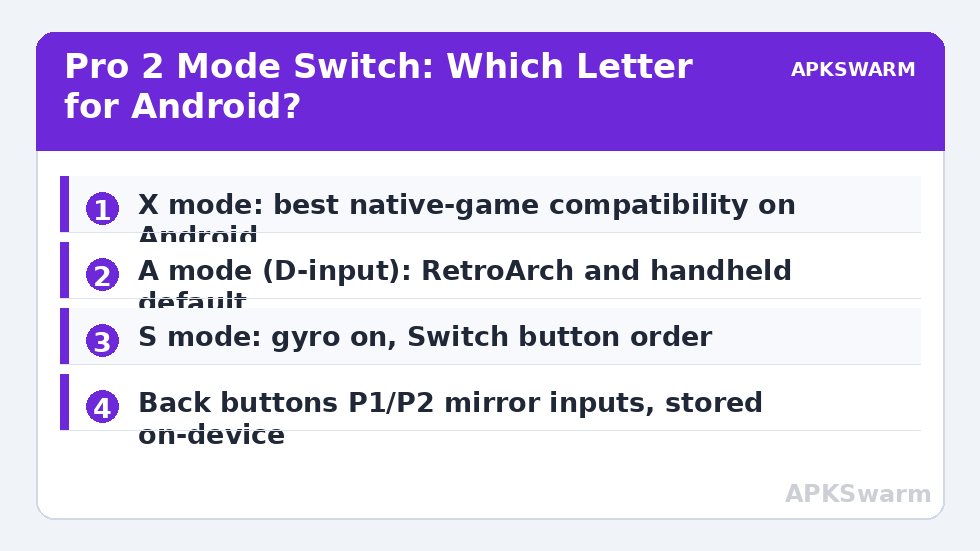
| X | X-input | Appears as Xbox-style pad; best game compatibility | Most Android games and Game Pass |
| A | D-input variant | Appears as “8BitDo Pro 2” / D-input device | Emulators that prefer D-input (RetroArch) |
| D | D-input (legacy) | Older D-input profile | Old Android titles, some handhelds’ stock OS |
| S | Switch Pro protocol | Gyro active; button labels follow Switch order | Emulators where you want gyro; Switch-style prompts |
Set the switch before pairing — changing modes creates a separate Bluetooth identity, so Android will hold several “Pro 2” entries over time. That is normal. For a phone, default to X for native gaming and A for emulator handhelds; the RetroArch notes at the end explain why. Gyro is only exposed in S mode, a fact buried in the manual that explains countless “gyro not detected” threads.
Pairing on Android phones
- Set the mode switch (X recommended), then hold the Pair button on the top edge until the bottom LEDs chase rapidly.
- Phone: Settings → Connected devices → Pair new device. Select the entry matching your mode (“Xbox Wireless Controller” style name in X mode, “8BitDo Pro 2” in A/D, “Pro Controller” in S).
- LEDs settle solid on a player number. Test in a gamepad tester: in X mode Android will show Xbox prompts in games, which is expected — the printed Nintendo-order labels on the pad will not match on-screen letters, the eternal Pro 2 compromise.
- Reconnection afterwards is automatic: press Start (or the home/heart button) and the pad returns to the last host in that mode. The Pro 2 remembers one host per mode, so a phone in X and a handheld in A coexist peacefully.
Wired play works over USB-C in any mode and doubles as the charging connection for the removable battery pack — which, uniquely in its class, can be swapped for two AA batteries in a pinch. Full charge typically delivers around 20 hours of play, varying with rumble use.
Ultimate Software: profiles, back buttons, and the good stuff
8BitDo’s Ultimate Software app (Android version available; full-featured versions also on PC) edits what the pad remembers onboard: remap any button, assign the two back paddle buttons (P1/P2) — the Pro 2’s signature feature in this price class — set stick dead zones and trigger ranges, tune vibration strength, and store three profiles switchable with the profile button on the front. Changes save to the controller itself, so a profile built on your phone follows the pad to a handheld or PC. Set P1/P2 to duplicate face buttons you otherwise claw-grip for (jump, sprint) — mirroring is all they do, but mirroring in the right place transforms ergonomics. Macro recording exists in the software; as with all macro features, avoid it in competitive online games where automation breaches terms — the same boundary discussed in map touch screen controls physical buttons android.
All figures are estimates based on typical titles and stock settings; individual games vary widely.
Using the Pro 2 with retro handhelds
On Android-based handhelds (Retroid Pocket, AYN Odin family, Anbernic’s Android models), the Pro 2 in A mode over Bluetooth is the community-default external pad because D-input keeps emulator mapping stable across reboots; in X mode some handheld builds rename the device after sleep, breaking saved RetroArch autoconfig matches. On the Odin specifically, set the handheld’s own gamepad style to Xbox in settings if you use X mode, so prompts and pad agree. Linux-based handhelds pair in S or X depending on firmware — RK3566 devices running community firmware generally take X mode cleanly. When docked play matters, the wired USB-C connection removes the reconnection lottery entirely, and the latency picture matches connect wireless controller android tv box setups.
RetroArch and emulator specifics
RetroArch ships an autoconfig for the Pro 2 in D-input (A mode), binding sticks, triggers, and the back buttons’ mirrors automatically. In S mode the pad appears as a Switch Pro Controller with working gyro for cores that use it. Analog triggers report as digital-plus-axis in D-input on some firmware — if a GameCube title treats triggers oddly, X mode’s clean analog axes fix it. Firmware updates arrive through 8BitDo’s updater (PC/Mac, or the Ultimate app on supported builds); update cadence has slowed as the model matured, and firmware numbering varies by production batch, so check your exact unit in the updater rather than assuming a version from a forum post. Drift prevention and dead-zone calibration follow the same routine as any potentiometer pad: calibrate analog sticks fix stick drift android.
More multi-platform pad guides are in Controller Setup.
Small print: versions, variants, and used-market traps
The Pro 2 has been in production for years across quiet revisions, and two buying traps follow from that. First, the namesake confusion: the Pro 2 is not the Pro+ (its predecessor, lacking back buttons and the front profile system) and not the Ultimate line (a different shape with a charging dock and, in some variants, Hall-effect sticks). Listings blur these constantly; the Pro 2’s tells are the textured grips, the star/heart buttons flanking the centre, and the P1/P2 paddles underneath. Second, used units: the removable battery pack is a blessing — a worn pack is a cheap swap instead of a dying internal cell — but check that the pack is present (a unit running on AAs with the pack lost is fine, just price it accordingly) and that the mode switch still clicks positively through all four letters, because a sloppy switch causes intermittent mode drops that present exactly like Bluetooth faults. Firmware numbering also differs between the original and later production runs, so the updater app’s verdict on your specific unit outranks any “latest version” number quoted in a forum. None of this diminishes the pad — it remains the flexibility champion of its generation — it just means the second-hand bargain needs five minutes of inspection that a new purchase doesn’t.
Pairing etiquette: sharing the Pro 2 with a Switch
Many Pro 2 owners also own the console its S mode imitates, and sharing one pad between a Switch and an Android phone works if you respect the memory model: the pad remembers one host per mode, so dedicate S to the Switch and X or A to the phone, and the two never evict each other. The failure mode to avoid is pairing the phone in S mode “just to test gyro” — you have just handed the Switch’s slot to the phone, and the next console session starts with a re-pair. Label the modes in your head by device, not by protocol, and the Pro 2 becomes the rare pad that genuinely serves two ecosystems without weekly re-bonding rituals.
Frequently Asked Questions
Which mode should I use for the 8BitDo Pro 2 on Android?
X mode for most native Android games and streaming apps (Xbox-style compatibility), A mode (D-input) for emulators and Android handhelds where RetroArch’s autoconfig expects it. Gyro requires S mode.
Why does my Pro 2 show as different names in Bluetooth settings?
Each switch position is a separate Bluetooth identity: Xbox-style in X mode, 8BitDo Pro 2 in A/D modes, Pro Controller in S mode. Multiple entries over time are normal.
How do I use the Pro 2’s back buttons?
Assign them in 8BitDo Ultimate Software; they mirror other buttons and the mapping is stored on the controller, so it travels across devices. Profiles (three) switch with the front profile button.
Does the Pro 2 work wired on Android?
Yes, via USB-C in any mode, which also charges it. Wired removes pairing variables and gives the lowest latency the pad offers.
Can the Pro 2 connect to my phone and handheld without re-pairing?
Yes, if each device uses a different mode position — the pad remembers one host per mode. Two devices in the same mode will compete for it.