Every Dolphin player knows this exact hitch: a new effect fires — a first explosion, a first splash, a weapon you have not swung yet — and the game freezes for a fraction of a second, then carries on smoothly until the next new thing. That is shader compilation stutter, and the dolphin ubershaders stutter fix exists precisely for it. UberShaders change when and how Dolphin prepares its graphics shaders so that first-use moments stop stalling your games. This guide explains what Hybrid and Exclusive modes actually do, what they cost, which Android phones can afford each, and how to verify the fix on your own dumped GameCube and Wii games rather than taking anyone’s word for it.
Why Dolphin Stutters on First Effects in the First Place
GameCube and Wii games were built for fixed hardware that did not compile shaders at runtime the way a phone GPU does. Dolphin translates the console’s graphics behaviour into shaders your phone’s GPU can run, and many of those shaders are only needed when a game first does a particular visual thing. On a straightforward setup, that shader is compiled at the moment of first use — and compilation takes long enough to miss frames, producing the famous hitch. The game is not too heavy for your phone; it is pausing to build a tool it will then keep and reuse instantly for the rest of the session.
That is why the stutter has such a recognisable fingerprint: it strikes on firsts — first effect, first area, first enemy type — and the same moment runs cleanly on a second attempt. It is also why generic advice misfires here. The linked guide to clearing the GPU shader cache to stop stutter covers the disk cache Dolphin builds as it plays; clearing that cache deletes the very library of compiled shaders that protects you, and makes first-use hitches return in force. For Dolphin shader stutter, you want more preparation, not less cache.
The Three Modes, Honestly Explained
Dolphin’s shader compilation setting is found under Graphics settings, and on Android it offers the choices below. Understand them as three different answers to one question: when should the phone do the compilation work?
| Mode | How it works | Cost | Suits |
|---|---|---|---|
| Synchronous (off) | Compiles each shader at first use | No steady cost; hitches on new effects | Diagnosis and very weak GPUs |
| Hybrid UberShaders | A standing UberShader handles effects until the specialised shader is ready | Moderate constant GPU load; occasional imperfect effects briefly | Most mid-range and flagship phones |
| Exclusive UberShaders | Everything renders through UberShaders, always | Heavy constant GPU load; highest heat and battery cost | Strong flagships, short sessions |
| Skip Drawing | Skips drawing an effect until its shader is ready | Brief missing visuals instead of hitches | Testing; players who prefer a blink to a stall |
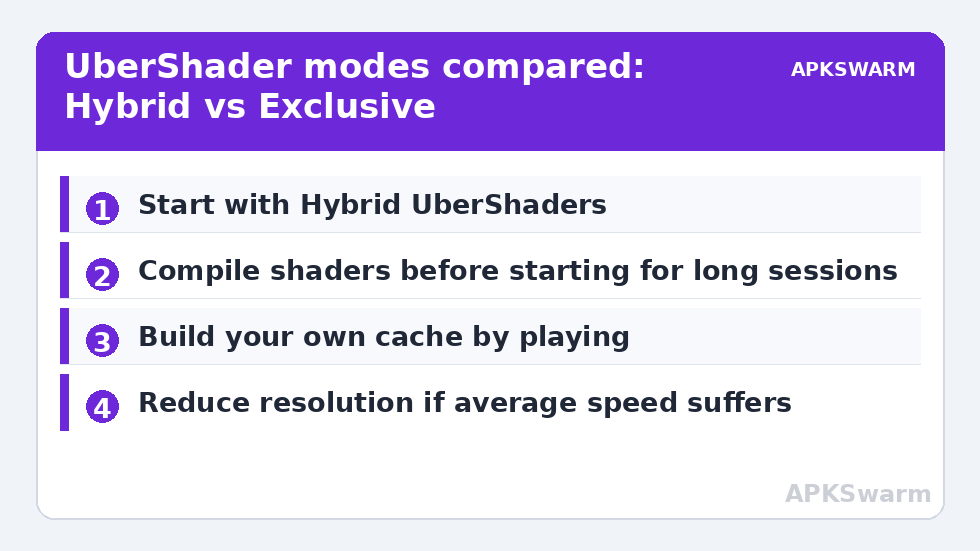
The UberShader idea is elegant: instead of thousands of small specialised shaders compiled on demand, Dolphin keeps one enormous, flexible shader that can imitate any of them. In Hybrid mode, that giant covers for a missing specialised shader — rendering the effect immediately, possibly with a brief visual imperfection — while the efficient specialised version compiles in the background and then takes over. In Exclusive mode the giant does all the work forever, which eliminates compilation hitches entirely but asks your GPU to run the most expensive possible version of every effect, every frame. Hybrid is the mode most Android players should start with; Exclusive is a tool for phones with GPU headroom to spare, not a badge of honour.
Setting It Up, Step by Step
- Open Dolphin, go to Settings, then Graphics, and find the shader compilation mode.
- Select Hybrid UberShaders first, regardless of your phone’s price tag.
- Enable “Compile Shaders Before Starting” if your build offers it, and accept the wait at launch — see the next section.
- Use the Vulkan backend if your phone supports it well, since Dolphin’s shader pipeline is generally happiest there; the baseline setup reasoning is in the guide to the best Dolphin settings for GameCube and Wii on Android.
- Launch a game, play to a busy early scene, and note hitch frequency; then replay the same scene.
Two expectations to set. First, Hybrid does not make a weak phone strong: if your device cannot hold full speed in ordinary scenes, UberShaders add load and can make average performance worse even as they remove hitches — in that case reduce internal resolution first and reassess. Second, brief visual oddities in the first instant of a new effect under Hybrid are the design working, not a new bug; the specialised shader replaces the stand-in as soon as it is ready. For the wider collection of Dolphin and performance guides, the APKSwarm homepage is the index. Before judging any of this by feel, feed your game’s target rate and your panel’s refresh rate into the frame calculator below — a mismatch there creates a rhythmic judder that players regularly blame on shaders.
All figures are estimates based on typical titles and stock settings; individual games vary widely.
Compile Before Starting, and the Cache You Build by Playing
The companion option, Compile Shaders Before Starting, moves the remaining compilation to the loading screen: Dolphin builds the shaders it already knows a game needs before gameplay begins, in exchange for a wait at launch that community reports commonly put anywhere from a few seconds to around a minute depending on the game and phone. For games you play in long sessions, that trade is usually worth it. For quick pick-up sessions, Hybrid alone may be the better balance.
Underneath both options sits your personal shader cache, accumulated by playing your own games on your own phone. Treat it as an asset. It survives ordinary play, grows more complete over time, and is specific to your GPU and driver version — which is why a system update can invalidate it, and why downloading a stranger’s prebuilt cache is both against this site’s legal-emulation stance and practically useless: caches built for a different GPU or driver often will not load, and files from unknown sources are a needless risk. Building your cache is simply playing, once, attentively — a first run through a favourite game at relaxed settings, letting every effect fire, leaves later runs visibly smoother.
When UberShaders Are Not the Answer
Honest limits matter. If your stutter is a steady, rhythmic unevenness rather than first-use hitches — a judder that repeats identically every second — that is pacing, and the fix lives in the guide to fixing frame pacing judder in 30 FPS games, not in shader settings. If hitches grow worse the longer you play and the phone is hot, that is thermal behaviour, and UberShaders’ extra GPU load will bring the wall closer, not move it. If the whole game runs at 80% speed, no shader mode fixes a CPU or GPU that is simply outmatched; resolution and game choice are the levers there.
- Hitch on first effects only: UberShaders territory.
- Rhythmic judder everywhere: frame pacing and refresh pairing.
- Worsening with heat and time: thermals — adding GPU load backfires.
- Uniformly below full speed: reduce resolution; reassess the title’s demands.
There is also a display-side confounder worth ruling out cheaply: a phone that keeps changing brightness mid-game makes micro-hitches feel worse than they are, and its fix is in the guide to screen dimming during gaming on Android. Diagnose by the shape of the symptom, change one setting, and replay the same scene — Dolphin rewards that discipline because its options genuinely interact.
Verifying the Fix Instead of Believing It
Pick one early, effect-heavy moment in a game you own — a first boss entrance, a first big spell, a first rainy track — and make it your benchmark. Test it cold, on a fresh cache if you are willing, under Synchronous mode: count the obvious hitches. Switch to Hybrid, restart Dolphin, and repeat from the same save or level start; the first-use hitches should be largely gone, replaced at most by split-second visual stand-ins. Then play twenty ordinary minutes and watch average speed and heat: the fix only counts if the session holds up, not if the benchmark scene alone improves while the phone cooks itself into throttling.
Typical community-reported results on recent flagships describe Hybrid removing most first-use hitches at native or modestly raised resolution, with Exclusive reserved for players who accept noticeably higher battery drain. Mid-range phones commonly do best with Hybrid plus 1x to 1.5x internal resolution. Those are ranges from player reports, not guarantees — your GPU, driver, and game decide, and your benchmark scene tells you the truth for your hardware in under five minutes.
Frequently Asked Questions
What is the difference between Hybrid and Exclusive UberShaders?
Hybrid uses one large, flexible UberShader as a stand-in whenever a specialised shader is not ready yet, then swaps in the efficient specialised shader once it compiles. Exclusive renders everything through UberShaders permanently, eliminating compilation hitches entirely but imposing a heavy constant GPU load. Hybrid suits most Android phones; Exclusive suits strong flagships.
Will UberShaders fix all Dolphin stutter on Android?
No. They fix first-use shader compilation hitches — pauses when a new effect first appears. Rhythmic judder is a frame-pacing problem, worsening hitches with heat are thermal, and a game running uniformly below full speed needs lower settings or stronger hardware. Match the fix to the symptom’s shape.
Does Compile Shaders Before Starting actually help?
Yes, for longer sessions. It moves known shader compilation to the loading screen, trading a launch wait — commonly a few seconds to around a minute by community reports — for smoother first minutes of play. Players who prefer instant launches can rely on Hybrid mode alone.
Can I download a prebuilt shader cache to skip all this?
We do not recommend it, on practical as well as legal grounds. Shader caches are specific to a GPU and driver version, so borrowed caches often fail to load or cause artefacts, and files from unknown sources are a security risk. Build your own cache by playing your own dumped games; it accumulates quickly.
Why does Exclusive mode drain my battery so fast?
Because the UberShader is deliberately the most general — and most expensive — way to render every effect, and Exclusive mode uses it for every frame instead of only as a temporary stand-in. Higher sustained GPU load means higher power draw and more heat, which is the honest price of zero compilation hitches.