

Every retro handheld runs on a lithium cell you cannot easily replace, sealed behind screws, glue or both, in a device the manufacturer may not support in five years. That makes retro handheld battery health a different subject from phone battery advice: the goal is not getting through a two-year contract, it is keeping a beloved device playable for a decade. This guide covers the charging habits, storage rules and heat discipline that genuinely extend lithium lifespan — and separates them from the folklore that does nothing.
Nothing here requires special equipment beyond, optionally, a basic USB power meter. The habits are free. They are also unglamorous, which is precisely why they work: battery ageing is mostly chemistry and temperature, and chemistry does not care about battery-health apps.
How Lithium Cells Actually Age
A lithium-ion or lithium-polymer cell ages along two axes. Cycle ageing comes from use: each full charge-discharge cycle wears the cell slightly, and deep cycles wear it more than shallow ones. Calendar ageing happens whether you play or not, and it accelerates sharply at high states of charge and high temperatures — a cell stored at 100% in a warm drawer ages faster than a cell being played with daily at moderate charge. Manufacturers commonly rate cells in this class for a few hundred full cycles before capacity falls toward 80% of original, but real-world lifespan is dominated by how you treat the cell long before cycle counts matter.
The practical translation for handheld owners is short: heat is the enemy, living at the extremes is the enemy’s assistant, and time at full charge is a quiet tax you pay every single day the device sits plugged in on a shelf. Everything else in this guide is an application of those three facts. If your immediate problem is a device draining while it sleeps rather than ageing over years, start with our guide to optimizing sleep mode and standby drain — wakelocks and radios are fixable today, while the habits below protect next year.
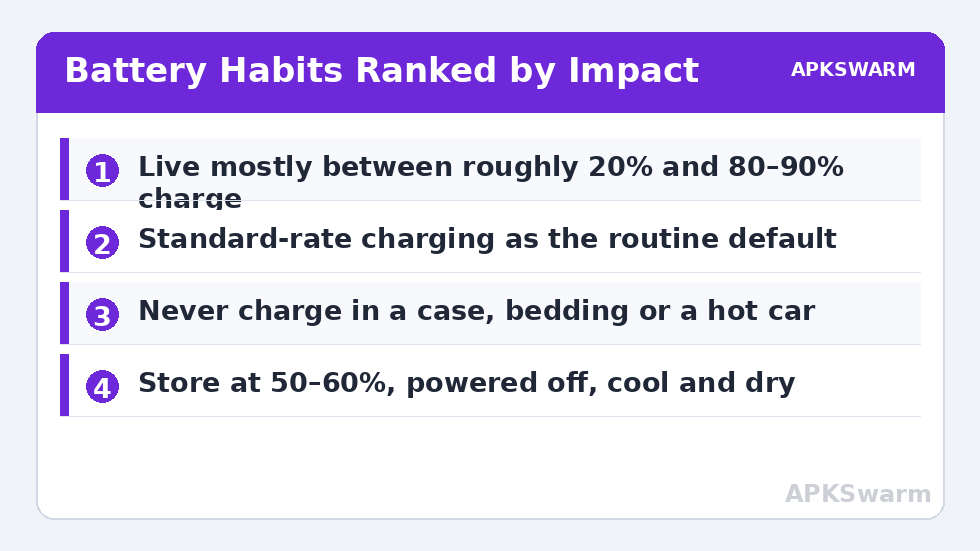
The Charging Habits That Matter Most
| Habit | What to do | Why it helps |
|---|---|---|
| Charge range | Live mostly between roughly 20% and 80–90% | Shallow cycles and less time at high voltage slow both ageing axes |
| Charger choice | Standard-rate charging for routine use; fast charging occasionally | High wattage means heat at the cell, every time |
| Playing while charging | Fine occasionally; avoid for heavy 3D sessions | SoC heat plus charge heat stack in one small shell |
| Overnight charging | Acceptable occasionally; don’t make it the device’s home | Hours parked at 100% at elevated temperature is pure calendar ageing |
| Storage charge | Around 50–60% for anything beyond a few weeks | The lowest-stress resting state for the chemistry |
Two clarifications, because both myths are stubborn. First, you do not need to baby the device into uselessness — using the full range on a trip is fine; lifespan is decided by your default pattern, not your exceptions. Second, modern devices do not overcharge in the dangerous sense; the battery management system stops charging at full. The cost of sitting at 100% is not explosion risk, it is accelerated quiet ageing. Some Android handhelds offer a charge limit or bypass-style setting in their gaming tools — if yours does, an 80–90% limit is the single most effective toggle in this entire article. Our Odin 2 battery and performance tweaks show that principle applied per-device, and the same settings hunt is worth five minutes on any Android handheld you own.
Heat: The Habit Behind the Habits
Temperature accelerates every ageing reaction in the cell, which is why the thermal rules matter as much as the electrical ones. Do not charge the device inside a closed carrying case, under bedding, or in a hot car — the classic three. During play, remember that the highest sustained temperatures arrive when three things coincide: a demanding 3D system, a fast charger, and blocked vents. Remove any one of the three and temperatures fall to something the cell tolerates indefinitely. A smart fan profile, a standard-rate charger for plugged-in sessions, and a hard surface under the device is the whole recipe.
It also helps to know what your device is actually doing under load, rather than guessing from shell warmth. Estimating the emulation load of the system you are playing — the frame calculator on the APKSwarm homepage gives a quick figure for a given system at a given resolution — tells you whether a hot device is working as expected or working far harder than the game justifies, which usually traces back to an internal resolution set two steps too high.
All figures are estimates based on typical titles and stock settings; individual games vary widely.
Storage: Where Handhelds Quietly Die
More handheld batteries are ruined on shelves than in hands. The rules for storage beyond a few weeks are simple and absolute: charge (or discharge) to roughly 50–60%, power the device fully off or put it in airplane mode, and store it somewhere cool and dry — a drawer at room temperature, not a garage that bakes in summer. Then calendar a top-up check every three to six months, because a sleeping device still self-discharges slowly, and a cell left to reach true zero and sit there can drop below the voltage its protection circuit will recover from. That drawer-dead handheld that needs thirty patient minutes on a standard charger before showing signs of life is this paragraph, learned the hard way.
Rotation helps if you own several devices: a handheld played monthly at moderate charge ages more gracefully than one sealed in a drawer at full charge for a year. And when you do shelve a device, a note on the calendar beats relying on memory — write the storage date and charge level on a piece of tape on the case. It looks excessive right up until it saves a battery.
Reading Your Battery Honestly
Expect gradual, uneventful decline: a healthy device might lose a small, barely noticeable slice of session length per year under good habits. Distinguish that from the warning signs that mean something is actually wrong — capacity falling off a cliff over weeks, the device shutting down at 20–30% indicated charge, the back panel bulging, or the battery percentage leaping around during play. A bulging cell is a stop-using-it event: power down, do not charge it, and replace the battery or retire the device. Percentage weirdness short of that is usually calibration drift in the fuel gauge, improved by one full, uninterrupted charge-and-use cycle — the one occasion where a deep cycle is the right tool.
One more honest measurement habit: once a year, run a familiar game at your usual brightness from a full charge and note how long a fixed slice — say 20% of the gauge — actually lasts, writing the figure and the date in a notes file. Memory exaggerates decline; a written baseline tells you whether you are watching normal ageing, a software change, or a cell genuinely failing, and it makes any future warranty or battery-replacement decision a factual one instead of a vibe.
Finally, perspective: these habits layer onto how you use the device’s other features. A front end left syncing and streaming media in the background works the radios and the cell — the configuration work in our ES-DE frontend setup guide includes the background-behaviour tidying that keeps a launcher from becoming a drain. And if you stream PC games to the handheld with the setup in our Moonlight streaming guide, remember that streamed play is the gentlest workload of all for the cell: the handheld’s chip idles while a PC does the lifting, at screen-and-radio power only. Choosing lighter workloads when they suit you is a battery habit too.
Frequently Asked Questions
Is it bad to charge my handheld to 100%?
Occasionally, no — use the full range when you need it. The harm is in the default pattern: a device that lives at 100% on a charger ages measurably faster than one kept mostly between roughly 20% and 80–90%. Lifespan follows your habits, not your exceptions.
What charge level is best for storing a handheld?
Around 50–60%, powered fully off or in airplane mode, somewhere cool and dry. Check and top it back toward that level every three to six months so self-discharge never takes the cell near true zero.
Does fast charging damage a retro handheld battery?
It does not damage it outright, but the extra heat on every charge accelerates ageing compared with standard-rate charging. Use fast charging when time matters and a standard charger for routine and overnight top-ups.
My handheld’s back panel is bulging. What should I do?
Stop using and stop charging it — a swollen cell is a failed cell. Power it down, keep it somewhere cool and non-flammable, and arrange a battery replacement or safe disposal. No software setting addresses this.
How long should a handheld battery last before it needs replacing?
With decent habits, typically years of regular play before capacity falls to around 80% of original — the point where shorter sessions become noticeable rather than dramatic. Heat and living at full charge are what move that date dramatically earlier.