Finding the right mame4droid arcade emulator best settings android profile is less about chasing maximum effects and more about removing the three things that ruin arcade play on phones: input lag, uneven frame pacing, and scaling that blurs pixel art. MAME4droid is built around accuracy for the game sets it supports, so your job is to give it a clean display, a responsive control path, and enough thermal headroom to hold full speed. This guide assumes you are configuring the emulator for games you own.
Open MAME4droid, tap the menu, and work through Settings in the order below: video first, then audio, then input. Changing everything at once makes troubleshooting impossible. Our full Emulation Configs hub collects the companion guides referenced here if you want to compare approaches across systems.
Core mame4droid arcade emulator best settings android Profile
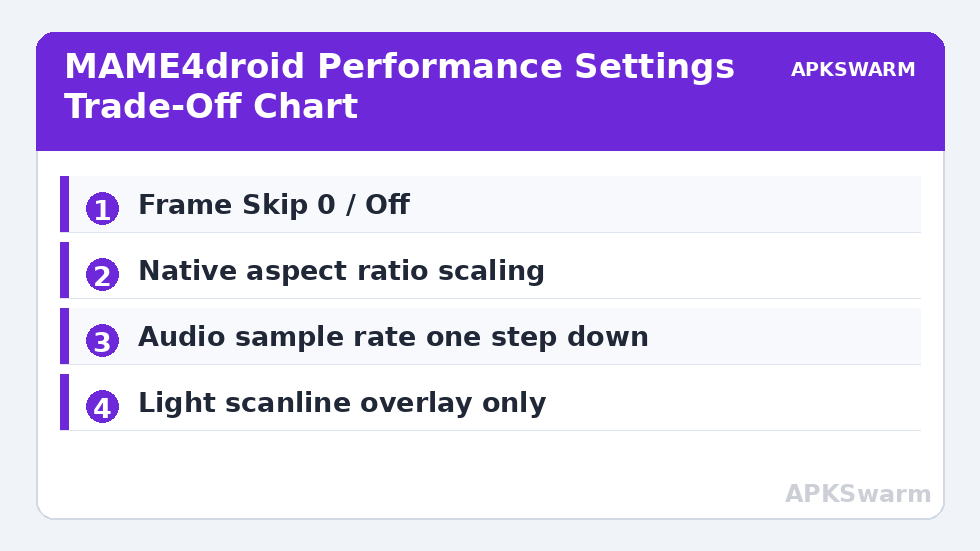
In Settings > Video, start with Video Mode set to the hardware-accelerated option your build offers, and keep the image at its native aspect ratio rather than stretched full-screen. Arcade cabinets used several aspect ratios, and stretching distorts both visuals and the feel of movement. For Scaling / Filter, begin with a sharp or nearest-style option if available on your build, then test a mild smoothing filter only if you dislike raw pixels on your specific screen. Heavy smoothing costs GPU time and softens the crisp edges arcade art depends on.
Set any Frame Skip option to 0 / Off for your baseline. MAME titles are timed tightly to their original refresh behaviour, and frame skipping introduces judder that feels worse in fast shooters and fighters than a brief, honest slowdown you can then fix properly. If a game cannot hold full speed with frame skip off on your hardware, the answer is usually a lower-impact video filter, a cooler phone, or accepting that title’s demands exceed the device, not aggressive skipping.
In Settings > Audio, keep sound enabled but avoid the highest sample rate if your phone struggles. Dropping the audio sample rate by one step is one of the lowest-visual-cost performance gains in MAME4droid, because it reduces CPU work on every frame. If you hear crackling, increase the audio latency or buffer option by one step if your build exposes it. Crackle usually signals the device is right at the edge of full speed, so treat it as a performance warning as well as an audio problem.
Video Filters, Overlays, and CRT Effects Without the Lag
Effects are where most phones lose full speed. Scanline and CRT-style overlays look appealing in screenshots, but they add a full-screen shading cost on every frame. If you want that look, enable the lightest overlay first, test your most demanding owned title for several minutes, and watch for gradual slowdown as the phone warms. Our guide to how to load custom shaders and CRT filters on mobile explains the same trade-off in RetroArch terms: the prettier the effect chain, the more headroom you must leave unused in short tests.
- Best for performance: No overlay, sharp scaling, native aspect ratio. Use this as your known-good baseline profile.
- Best balanced look: Light scanline overlay at reduced opacity, no additional curvature or aperture grille effect stacked on top.
- Avoid on mid-range and entry phones: Stacked curvature, glow, and heavy smoothing together. Each effect alone may pass a 30-second test while the combination fails after five minutes of heat build-up.
- Rotation: For vertical shooters, set orientation handling explicitly rather than relying on auto-rotate mid-game, which can resize the playfield at the worst moment.
Brightness and integer-style scaling choices also matter on OLED screens. An image scaled to fill more of the screen is not automatically better if it introduces shimmer on scrolling backgrounds. Test any scaling change on a side-scrolling stage with fine detail, watch the background for wobbling, and keep the setting that scrolls cleanly even if it leaves small borders. Clean motion matters more in play than filling every pixel in a screenshot.
Controls: Touch, Gamepad, and Input Latency
Arcade games punish vague inputs. If you play with touch controls, increase the touch button size in Settings > Input > Touch controls where available, reposition buttons away from screen edges your palms cover, and disable any haptic or animation extras that distract from timing. For fighting games and precise shooters, a Bluetooth or USB-C gamepad is a meaningful upgrade, but only if you map it cleanly: map once, save the profile, and test diagonals deliberately in a game’s test menu or a calm stage.
Keep other Bluetooth devices in mind. Audio sent to wireless earbuds adds latency that makes rhythm-sensitive and reaction-heavy games feel disconnected, even when video is responsive. For serious sessions, use wired audio or the phone speakers so what you hear lines up with what you press. If controls feel delayed only in one title, check whether that title originally used specialised controls, such as rotary or trackball inputs, which never map perfectly to a standard pad. That is a compatibility reality, not a settings failure you can tune away.
All figures are estimates based on typical titles and stock settings; individual games vary widely.
Per-Chip Settings for Heavy Titles
Heavy in MAME usually means later, more complex hardware with more emulated processors, not just prettier graphics. On flagship Snapdragon 8-series and recent high-end Dimensity phones, expect the broadest compatibility at full speed with a light overlay enabled, provided thermals are managed. You can afford the balanced look profile above for most titles and reserve the no-overlay profile for the most demanding cases.
On mid-range Snapdragon 7-series, Dimensity 7000 and 8000-class, and equivalent hardware, default to the performance profile: no stacked effects, audio sample rate dropped one step if needed, and frame skip off. Most classic-era titles should hold full speed comfortably, while heavier 3D-era titles will vary by game. Test each demanding title individually rather than applying a global compromise that dulls every game.
On entry-level Snapdragon 6-series, Helio G-series, and older phones, be selective. Favour the performance profile strictly, play in a cooler environment, close background apps, and keep sessions shorter to avoid thermal throttling masquerading as a settings problem. If a heavy title still cannot hold speed, the honest answer is to enjoy the large library that does run well on that hardware. Techniques from our guide to frame skipping without screen tearing can help in borderline cases, but in MAME they should be a last resort applied per game, not a global default.
Keeping Your Configuration Stable Over Time
Once you have a profile that works, stop changing global settings for single games. Note which titles needed exceptions, such as a different filter or orientation, and keep a short list in your notes app with the game name and the one changed setting. Random global tweaking is how a working setup quietly becomes an unreliable one, and you end up troubleshooting a problem you created weeks earlier.
After any MAME4droid update, retest two or three familiar titles before assuming your settings carried over perfectly. Updates can rename options, reset a video choice, or change a default. A two-minute check on games you know well, including one vertical and one horizontal title, will catch a reset immediately while the cause is still obvious. Good arcade configuration is mostly discipline: a clean baseline, one change at a time, and honest expectations per chip class.
Frequently Asked Questions
What is the best frame skip setting for MAME4droid?
Start with frame skip set to 0 or Off for accurate pacing. Only raise it per game as a last resort for borderline titles, because skipping in tightly timed arcade games causes noticeable judder in fast shooters and fighters.
Why does MAME4droid crackle or stutter after a few minutes?
Gradual stutter usually means thermal throttling or a device right at the edge of full speed. Lower the audio sample rate by one step, remove heavy overlays, play in a cooler spot, and retest the same title.
Should I stretch arcade games to fill my phone screen?
No. Keep the native aspect ratio. Stretching distorts movement and visuals. Prefer clean scaling with small borders over a filled screen with shimmering scrolls and distorted sprites.
Do CRT overlays slow down MAME4droid?
Yes, especially stacked effects. A single light scanline overlay is usually fine on flagship phones, but curvature, glow, and heavy smoothing together can push mid-range and entry-level phones below full speed.
Why do controls feel delayed in MAME4droid?
Common causes are Bluetooth audio latency, an unoptimised touch layout, or a game that originally used specialised controls. Use wired audio for serious play, enlarge and reposition touch buttons, and use a gamepad for precise titles.