Learning to load custom shaders crt filters mobile emulator setups rely on is mostly a file-placement skill: put the right shader pack in the folder the emulator actually scans, load the preset in the right menu, and then tune two or three parameters instead of twenty. Done well, a CRT shader restores the soft scanline look these games were designed for on televisions. Done carelessly, it halves your frame rate and darkens the image. This guide covers RetroArch in depth, then standalone emulators, using only shaders applied to games you own.
Shader Formats and Where Files Go on Android
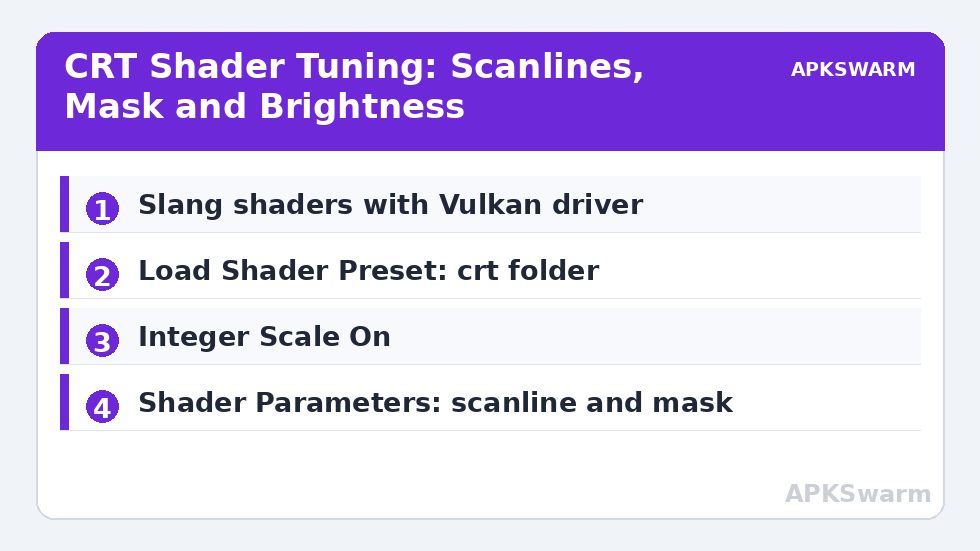
RetroArch uses three shader ecosystems. Slang shaders with .slangp presets are the modern standard and work with the Vulkan and OpenGL drivers. GLSL shaders with .glslp presets are the older format for the OpenGL driver only. CG shaders are legacy and should be avoided on Android. The rule that prevents most failures is simple: the preset format must match your video driver. Under Settings > Video > Video Driver, most Android users should run Vulkan, which means you need Slang packs. A GLSL preset loaded under Vulkan will silently fail or produce a black screen, and the reverse mismatch is just as common.
Download shader packs through RetroArch itself rather than side-loading random files. Open Online Updater > Update Slang Shaders to fetch the full maintained library into the correct directory, which by default is RetroArch’s shaders folder inside its system directories. If you install a third-party pack manually, for example a curated CRT pack from its creator’s page, copy the unzipped folder into that same shaders directory so its internal relative paths to passes and textures still resolve. A preset that references a LUT texture or a pass file by relative path breaks if you move only the .slangp file on its own, which is the second most common failure after format mismatch.
Standalone emulators use their own systems rather than RetroArch presets. PPSSPP supports post-processing shaders under its Settings > Graphics > Postprocessing shaders list and loads additional shaders from its memstick shaders folder. DuckStation offers display enhancements and deinterlacing plus shader-based post effects in recent builds. Dolphin uses post-processing effects under Graphics > Enhancements > Post-Processing Effect. None of these accept .slangp files directly, so keep the two worlds separate in your folders and expectations.
Load Custom Shaders CRT Filters Mobile Emulator Workflow in RetroArch
Load a game first, then open the Quick Menu. Go to Quick Menu > Shaders > Load Shader Preset, navigate into the crt folder, and choose a preset. Sensible starting points are crt-easymode for a light, fast effect, crt-geom or crt-lottes for a balanced classic look, and crt-royale for the most configurable and most demanding simulation. The image changes immediately, so judge it in gameplay, not on a static menu, because scanline behaviour interacts with scrolling.
All figures are estimates based on typical titles and stock settings; individual games vary widely.
After loading, open Shader Parameters in the same Shaders menu. Tune only three things first. Scanline strength or beam width controls how dark and visible the lines are; lower it if the image feels gloomy. Mask type and mask strength choose between aperture grille, slot mask, and shadow mask patterns; on phone-resolution screens a lighter mask strength avoids moiré shimmer. Brightness, gamma, or output gamma compensates for the light a CRT mask absorbs, so raise it slightly whenever you add a mask. Every parameter change applies live. When satisfied, use Save > Save Core Preset or Save Game Preset in the Shaders menu so the choice reloads automatically, and enable Settings > Video > Shader > Apply Changes behaviour by simply returning to the game, since RetroArch applies on exit from the menu. Our RetroArch Android beginner setup guide covers the surrounding video settings if your driver or scaling is not set yet.
Integer Scaling, Aspect Ratio, and Why They Make or Break CRT Effects
CRT shaders assume an even relationship between game pixels and screen pixels. Under Settings > Video > Scaling, enable Integer Scale for 2D systems and set Aspect Ratio to Core Provided or 4:3 for the consoles these filters imitate. Without integer scaling, scanlines land unevenly and crawl during scrolling, which looks worse than no shader at all. The trade-off is a slightly smaller image with small borders on most phone screens. For handheld systems with low native resolutions, pair integer scaling with a handheld or LCD shader from the handheld folder instead of a CRT preset, because those systems never had scanlines. If uneven scaling artefacts appear across emulators generally, the causes overlap with those in our guide to fixing graphical glitches and missing textures, although shader moiré is a scaling problem, not a texture problem.
Performance by Chip Tier and Standalone Alternatives
Shader cost is GPU cost per output pixel, so it scales with your screen and internal resolution together. On Snapdragon 6xx devices, single-pass and light presets such as crt-easymode or a simple scanlines overlay run at full speed for 8-bit and 16-bit systems, while crt-royale at full phone resolution will drop frames. On 7xx devices, most mid-tier presets including crt-lottes and crt-geom run well, and royale becomes usable at reduced output or with fewer passes. On 8xx flagships, even heavy multi-pass CRT shaders are generally fine for 2D cores, but stacking a heavy shader on top of a high internal resolution in a 3D core such as Beetle PSX HW or the PPSSPP core is where even flagships dip. In that case lower the core’s internal resolution first, because the shader’s authentic look actually depends on low source resolution.
In standalone apps, expectations should be simpler. PPSSPP’s built-in options like CRT-style post shaders and its scanline settings under Postprocessing are cheap and look convincing for PSP’s LCD origins only when used lightly, since the PSP was never a CRT device. DuckStation’s strength is geometry and resolution, and a light scanline or its display filtering suits PS1’s CRT heritage well. Dolphin’s post-processing is best used for subtle effects on GameCube and Wii, which targeted both CRT and early flat panels. If your main goal is reliving how a game looked on a period television, RetroArch with a Slang CRT preset remains the reference implementation on Android, and the other apps in this category are catalogued in the Emulation Configs archive. Also consider pairing shaders with the driver advice in our Vulkan renderer guide, because Slang support itself depends on running the Vulkan driver.
One workflow habit saves hours: change one variable at a time and keep a known-good preset saved per core before experimenting. Shader menus invite endless slider tweaking, and without a saved baseline you cannot tell whether the latest change helped. Save the baseline, experiment in a game preset, and delete the game preset to revert instantly if an experiment goes wrong.
Frequently Asked Questions
Why does my shader preset show a black screen in RetroArch Android?
Almost always a format and driver mismatch. Vulkan needs Slang presets with .slangp files, while GLSL presets only work with the OpenGL driver. Update Slang Shaders in the Online Updater and load a preset from the crt folder that matches your video driver.
What is the best CRT shader to start with on a mid-range phone?
Start with crt-easymode for speed or crt-lottes for a richer classic look on Snapdragon 7xx devices. Both are far cheaper than crt-royale, respond well to small parameter changes, and look correct with integer scaling enabled.
Do CRT shaders reduce performance on Android?
Yes, in proportion to their pass count and your output resolution. Light single-pass shaders cost little on any modern chip, while multi-pass presets like crt-royale can drop frames on Snapdragon 6xx devices and when stacked on high internal resolutions in 3D cores.
Should I use integer scaling with CRT shaders?
Yes for 2D consoles. Integer Scale under Video Scaling keeps scanlines evenly spaced so they do not crawl during scrolling. The trade-off is a slightly smaller picture with small borders, which is worth it for an authentic CRT effect.
Can I use RetroArch slang shaders in PPSSPP or Dolphin?
No. PPSSPP, DuckStation, and Dolphin each use their own post-processing systems and do not load .slangp presets. Use each app’s built-in post-processing menu for shader effects there, and keep RetroArch presets inside RetroArch.