
Racing games are where controller quality stops being a preference and becomes lap time, and to map controller triggers racing games android emulator players need three things working together: true analog trigger axes (not buttons pretending), a curve that puts usable modulation in the first half of travel, and pedals-on-a-pad ergonomics that don’t cramp after ten minutes. This guide covers the mapping layer in the main Android emulators, with a worked Gran Turismo-style layout as the reference build.
First, prove your triggers are analog when you map controller triggers racing games android emulator titles
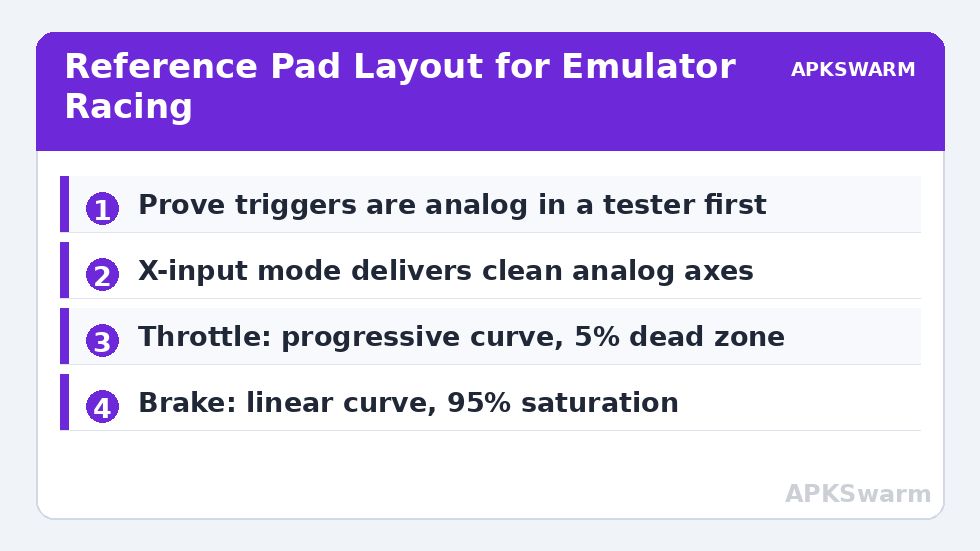
Open a gamepad tester and squeeze RT slowly. An analog trigger sweeps a bar through 0–100%; a digital one jumps 0→100. Several traps hide here: some pads ship in a mode where triggers are digital (certain D-input modes and Switch mode report triggers as buttons, because the Switch itself has digital triggers); some Bluetooth pads report analog values so coarsely they behave digitally; and some emulators bind triggers as buttons by default even when the axis is there. If your pad has an X-input mode, use it for racing — it is the mode most likely to deliver clean analog axes to Android, as detailed for multi-mode pads in 8bitdo pro 2 setup android guide. If the tester shows a button, fix the mode before touching emulator settings.
Emulator-by-emulator trigger binding
PPSSPP: Settings → Controls → Control mapping. Bind “Right Trigger” and “Left Trigger” by squeezing (the binding listens for axes). PSP had no analog triggers — games use them as digital L2/R2 equivalents or camera controls, so any squeeze past ~30% counts; set expectations accordingly. Dolphin: the deepest of the three: GameCube controller config exposes per-trigger analog + digital stages (the real GameCube pad clicks at full travel), plus threshold sliders; map both the axis and the click for games that use full-pull actions. AetherSX2/NetherSX2 (PS2): controller settings bind L2/R2 axes directly; PS2 triggers were pressure-sensitive buttons originally, and most titles treat them as on/off, but driving games with analog throttle support exist in its library too. RetroArch: bind once per autoconfig; racing cores (Flycast, Beetle PSX with analog mode) reward enabling “Analog to Digital Type: None” for the racing pad so stick steering isn’t duplicated digitally.
The reference layout: pad racing that survives endurance races
| Input | Racing function | Setting |
|---|---|---|
| RT (analog) | Throttle | Curve: progressive, dead zone 5% |
| LT (analog) | Brake | Curve: linear, dead zone 5%, saturation 95% |
| Left stick X | Steering | Dead zone 4%, outer zone 92% |
| Right stick Y | Camera / pit view | Default |
| RB / LB | Gear up / gear down (manual) | Digital |
| A | Handbrake | Digital |
| B | Reverse (hold) or gear down alt | Digital |
| Y | Change camera | Digital |
| X | Rear view | Hold |
| D-pad | Traction/brake bias menus | Digital |
Two ideas carry this layout. First, throttle gets a progressive curve because traction limits live at small throttle openings on corner exit; brake stays linear because threshold braking is about reaching a repeatable point fast. Second, gears sit on bumpers, not face buttons, so your right thumb never leaves the stick zone in games with right-stick camera. Stick numbers assume a healthy pad — verify with calibrate analog sticks fix stick drift android before blaming the layout.
All figures are estimates based on typical titles and stock settings; individual games vary widely.
Curves, dead zones, and saturation in plain terms
Emulators expose these unevenly, so use the pad’s companion app when the emulator lacks a control: GameSir and 8BitDo software both store trigger ranges on-device. Dead zone (inner) ignores the first few percent — set it just above your trigger’s resting noise (usually 3–7%) so a resting finger never cracks the throttle open. Saturation (outer) declares full input before the physical stop — set 92–97% so a worn trigger still reaches genuine full throttle. The curve between them decides how much of the travel is fine control: progressive curves give precision early and speed late, ideal for throttle; concave/exponential labels differ per app, so test in the tester while adjusting, squeezing to a steady half and watching whether the bar sits below 50% (progressive) or above (aggressive). Racing wheels and pedals are a separate rabbit hole beyond pad triggers.
Diagnosis: the four trigger complaints
“Throttle is on/off”: triggers bound as buttons or pad in digital-trigger mode — return to step one. “Brakes lock instantly”: brake curve too aggressive or saturation too low; lengthen travel with linear curve and 100% saturation test. “Car creeps forward at rest”: inner dead zone below resting noise; +2% steps until the tester shows zero at rest. “Full throttle never registers”: worn potentiometer or outer dead zone untouched — set saturation to 90% and re-test. Each of these is a two-minute fix once you stop treating them as game difficulty. Broader emulator control problems are catalogued in the Controller Setup library.
Steering deserves equal attention: stick setup for circuit work
Triggers get the glory in racing setups, but steering decides consistency, and pad steering has its own physics. The two settings that matter: linearity and range. A linear stick gives equal steering per millimetre across its travel; most players actually want a slightly softened centre (a gentle S-curve in apps that offer one, or the emulator’s analog sensitivity lowered to ~0.85–0.95) because corrections around centre-straight are constant and small, while full lock is needed only at hairpins. Range is the outer dead zone from the layout table: set it so full lock arrives just before the stick hits its gate — you steer to the gate by feel, so the game’s full lock should live exactly where your thumb’s travel ends. Test on a long straight at speed: the car should track straight with your thumb resting (centre dead zone right) and respond to deliberate nudges without darting (curve right). Rally and drift disciplines invert some preferences — quicker initial response, less concern for micro-corrections — so keep per-game profiles rather than a global answer; every emulator in this article supports per-game or per-core configs, and racing is the genre that justifies using them. Fifteen minutes of profile work per favourite title repays itself every single lap.
Hand position and fatigue: the unglamorous setup
Analog finesse dies when your hands cramp, and pad racing loads two fingers unusually: the middle fingers resting on triggers for minutes at a time, modulating constantly. If your pad has back buttons, moving gear shifts there frees your index fingers to live permanently on the triggers instead of commuting between bumpers and triggers — the single largest comfort upgrade available in this entire guide, and the reason the layout table put gears on bumpers only as the default for pads without back buttons. On telescopic pads, where triggers are smaller and travel shorter, raise trigger dead zones slightly (7–8%) because resting pressure fluctuates more with the phone’s weight in your hands. Session length is a setup parameter too: ten-minute qualifying efforts tolerate aggressive curves that a two-hour endurance stint punishes, which is why per-game profiles should really be per-game-per-session-type for your most-played title.
Frequently Asked Questions
Why are my triggers acting like on/off buttons in the emulator?
Either the controller is in a mode that reports triggers digitally (common in Switch and some D-input modes) or the emulator binding captured them as buttons. Switch the pad to X-input where available and re-bind by squeezing the trigger so the axis is recorded.
What trigger dead zone is right for racing games?
Start at 5% inner and 95% saturation, then adjust from a gamepad tester: raise the inner zone until a resting finger shows zero, lower saturation until full squeeze reliably shows 100%.
Should throttle and brake use the same curve?
No. A progressive curve on throttle gives fine control at corner exit where traction is limited. Brakes suit a linear curve so your braking point is repeatable lap after lap.
Did the original PSP/PS2 games even support analog triggers?
The PSP had no triggers beyond digital L/R shoulder buttons, so PPSSPP treats them digitally. The PS2’s buttons were pressure-sensitive and some driving games used it; GameCube (Dolphin) had true analog triggers with a click, which Dolphin reproduces faithfully.
My car accelerates slightly with no input. What’s wrong?
The trigger rests slightly above zero — wear or a tight spring. Raise the inner dead zone in 2% steps until the tester reads exactly zero at rest.