The RG35XX H is a $60-class horizontal handheld built around the Allwinner H700, and almost everything about its reputation comes down to one decision: the software it boots. This anbernic rg35xx h custom firmware setup guide compares the stock Anbernic OS honestly against KNULLI and muOS, explains what each one actually changes in daily use, and gives you a safe path from unboxing to a finished setup — without risking the card the device shipped with.
Hardware facts first, because firmware cannot fix physics. The RG35XX H uses the quad-core Cortex-A53-based H700, a Mali-G31 GPU, 1 GB of RAM, and a 3.5-inch 640×480 IPS screen at 4:3. It has dual microSD slots (TF1 for the system, TF2 for content on most firmware), Wi-Fi, Bluetooth, hall-effect sticks, and a 3300 mAh battery. That spec sheet means: flawless PS1 and below, comfortable Nintendo 64 and Dreamcast for much of the library, selective PSP. Any firmware claiming to unlock more than that is selling something.
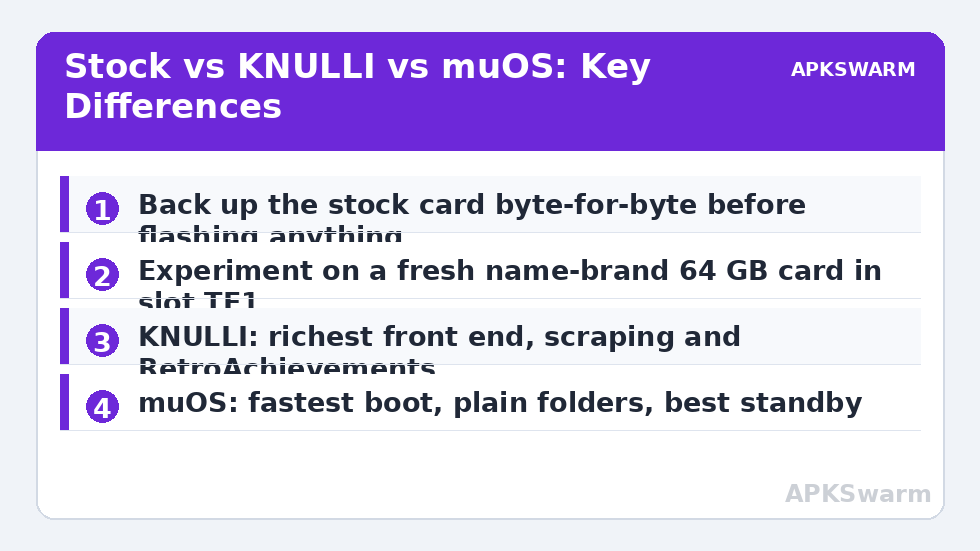
Read this before you flash anything: back up the stock microSD card that came in the box — copy the entire card to a folder on your PC, and ideally image it byte-for-byte with a tool like Win32 Disk Imager or balenaEtcher’s read function. Cheap bundled cards fail without warning, and the stock card is your only factory reset. Keep the original card untouched in a drawer; do all experimenting on a fresh, name-brand card (SanDisk or Samsung, 64 GB is plenty). If a flash goes wrong, you want the handheld to still boot.
Stock OS: What Anbernic Gives You
The stock firmware is a Linux build with a simple game-list front end and RetroArch underneath, plus standalone emulators for PSP (PPSSPP), Nintendo DS (DraStic), and a few others depending on build date. Its genuine strengths: it boots fast, the function-button menu is beginner-friendly, and recent stock revisions improved N64 compatibility noticeably versus the launch build. Its weaknesses are equally real — limited theme control, clumsy scraping, inconsistent hotkey behaviour between emulators, and port collections that vary by region and batch.
Early RG35XX H units shipped with a 64 GB card containing a game library of varying quality; later stock builds trimmed this. Whatever yours shipped with, the advice is the same: treat stock as a baseline to return to, not the destination.
KNULLI and muOS: The Real Differences
KNULLI is a fork in the Batocera lineage. It gives you the EmulationStation front end — rich themes, per-game metadata, video previews, built-in scraping via ScreenScraper, RetroAchievements, netplay support, and a proper settings layer over RetroArch. Boot time is slower than stock, and the options density intimidates some newcomers, but it is the most complete “console-like” experience on this hardware. Cloud save syncing and OTA updates arrived in later KNULLI releases for supported devices, which matters if you run multiple handhelds.
muOS takes the opposite philosophy: minimal, fast, and text-clean. It boots quickly, sips battery, organises content into plain folders you control, and gets out of the way. You give up the glossy EmulationStation surface and some integrated scraping polish; you gain a system that feels closer to a tool than a toy, with excellent standby behaviour and tidy archive/backup handling. muOS also supports both SD slots cleanly and makes moving between devices painless because your content folder structure is self-describing.
Honest verdict: if this is your only handheld and you enjoy browsing a beautiful library, choose KNULLI. If you value boot speed, battery, and predictability — or you maintain several H700 devices (RG35XX Plus, RG40XX, RG CubeXX share the family) — muOS is the calmer long-term home. Performance between them on PS1-and-below is identical; the emulators and cores are the same. Claims of big FPS gaps between firmwares on this chip are almost always configuration differences, not firmware magic.
The Safe Flashing Path
- Charge the device above 60%.
- Back up the stock card as described above — do not skip this.
- Download the firmware image from the project’s official site or GitHub only (KNULLI or muOS), and verify the file size/hash against the release page.
- Flash the image to your NEW card with balenaEtcher or Rufus. Never flash TF2/content cards — the OS goes on the card in slot TF1.
- First boot will resize partitions and can take several minutes. Do not power off mid-boot; a half-expanded filesystem is the classic false “brick.”
- After boot, copy your legally dumped games and BIOS files into the folder structure the firmware creates (muOS creates its own catalogue layout; KNULLI uses the standard roms tree).
Your games must be dumps of cartridges and discs you own — firmware communities are strict about this too, and everything here is written for your own library. For the deeper mechanics of imaging and writing cards, the dedicated walkthrough on how to flash custom firmware to microSD cards safely covers the tools in detail.
Dialling In Either Firmware
Whichever you chose, these settings pay rent immediately. Set your timezone and connect Wi-Fi so scraping and RetroAchievements work — if Wi-Fi misbehaves later, our guide to fixing Wi-Fi drops on Anbernic handhelds covers the usual culprits. Enable integer scaling for the 640×480 screen where the core allows it; GBA at 3x integer and PS1 at native 480p both look right on this panel. For PSP, run PPSSPP at 1x–2x with frameskip set to Auto and accept that demanding 3D titles are out of the H700’s reach.
Button mapping across systems lives in RetroArch’s input settings on both firmwares, and KNULLI exposes most of it through the EmulationStation menus. One convenience worth enabling in KNULLI is the built-in scraper with a free ScreenScraper account; on muOS, scrape on PC with Skraper or ARRM and copy the media across. And before you sink hours into setup, check what the chipset class realistically delivers per system:
All figures are estimates based on typical titles and stock settings; individual games vary widely.
More H700 and small-handheld tuning lives in the Handheld Tweaks hub, including battery-sleep tuning shared with its vertical sibling in the sleep mode and standby drain guide.
Quick Comparison: Stock vs KNULLI vs muOS
For readers deciding at a glance: stock boots fastest to a simple list, needs the least learning, and gives you the least control — fine for a gift device or a first week. KNULLI is the feature-maximal choice: EmulationStation themes, integrated scraping and RetroAchievements, per-system emulator choices, and the richest settings surface, at the cost of slower boot and more menus to learn. muOS is the minimalist’s firmware: quick boot, plain folders, strong standby behaviour, and an interface that stays out of the way, at the cost of glossier extras. All three sit on the same emulators for the systems this chip can run, so choose by temperament and workflow, not by promised speed — and remember the escape hatch is total: swapping firmware is swapping the TF1 card, so trying the other option later costs you an afternoon, not a device.
Frequently Asked Questions
Does custom firmware make the RG35XX H faster?
Not meaningfully for emulation ceilings — the H700 chip is the limit. Custom firmware improves front-end features, core versions, battery behaviour, and stability, which can make specific titles run better, but PS1-and-below performance is the same across firmwares.
Will flashing KNULLI or muOS void my setup if it fails?
No — the firmware lives entirely on the microSD card. If a flash fails, reinsert your original stock card and the device boots exactly as before. That is why you back the stock card up first and experiment on a second card.
Which microSD size should I buy for the RG35XX H?
64 GB is the sweet spot for most libraries; 128 GB if your PS1 collection is large. Buy name-brand cards — the bundled no-name card is the single most common cause of “my handheld died.”
Can I use the same content card between KNULLI and muOS?
Mostly. Game files themselves are portable, but the two systems expect different folder layouts and metadata formats. Plan a one-time reorganisation or re-scrape when switching rather than hot-swapping daily.
Does the RG35XX H play PSP and N64 well?
N64’s popular titles generally run well with the right core settings; Dreamcast is good for much of the library. PSP is selective — 2D and lighter 3D games are fine, heavy 3D titles are beyond the H700 regardless of firmware.