Hall effect sticks are sold as drift-proof, and mostly they are — which is exactly why owners panic when the character starts walking on its own. Learning how to calibrate hall effect joysticks android handheld devices use is a ten-minute skill that separates a dying stick from a mis-centred one, and in the overwhelming majority of cases it is the centre, not the sensor, that is wrong. This guide covers what calibration actually sets, the correct routine for Android handhelds, and how to diagnose the cases where calibration is not the answer.
Thirty seconds of theory, because it changes how you troubleshoot. A hall effect stick measures the position of a magnet with a magnetic sensor — no physical contact, no wiper track to wear out, which is why drift from wear essentially does not happen. But the system still needs to know three software facts: where centre is, where the edges of travel are, and how the raw magnetic readings map to a circle. Those facts are calibration data. Firmware updates, a knock that shifts a magnet’s seated position, or a rushed factory calibration can make them wrong, and wrong data looks exactly like drift.
Symptoms: Calibration Problem or Hardware Problem?
- Likely calibration: the stick rests slightly off-centre in test views; drift is constant in one direction; full deflection in one direction never quite reaches maximum; corners of the gate trace a squashed shape. Especially suspicious if it started after a firmware update.
- Likely hardware: readings jitter or flicker at rest, dead spots mid-travel, the stick feels gritty or loose, or one axis drops out intermittently. Calibration cannot fix a cracked magnet, a damaged sensor, or a worn spring — those need repair or replacement.
Always diagnose in the system’s own joystick test view (Android Settings, in the gamepad/handheld section on Retroid and Anbernic devices) before opening any emulator. If the raw values are wrong there, no emulator setting will save you; if they are right there but wrong in a game, the problem is the emulator’s deadzone or mapping, not the stick.
The Calibration Routine, Done Properly
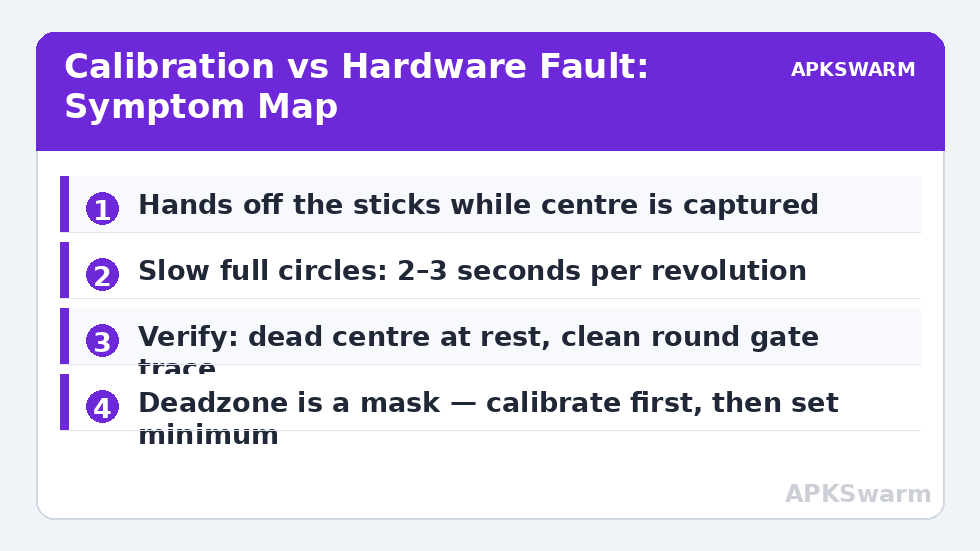
- Start the calibration tool in system settings with the handheld on a flat surface and your hands off the sticks. The tool captures centre at the start — touching the stick during those first seconds is the number one cause of bad calibrations.
- When prompted to rotate, move each stick slowly — take a full two to three seconds per revolution — tracing the outer gate edge in complete circles, two or three times. Speed is the enemy: fast spins skip positions and produce a lumpy map.
- Also push each stick fully to the four cardinal points and hold a beat at each, so the extremes register cleanly.
- Complete the routine, let the tool save, then return to the test view and inspect: the dot should sit dead centre at rest and trace a clean, round circle at the edges that reaches full deflection in every direction.
- If the circle is squashed toward one side, redo it — slower, and confirm nothing (a case lip, a thumb cap) is limiting travel.
This routine is the same one referenced from device-specific guides across the Handheld Tweaks category — for example the Retroid Pocket 4 Pro setup guide and the RG556 calibration and mapping guide both lean on it, because the principle is identical on every hall-stick Android handheld.
Deadzones: The Setting People Abuse
Deadzone is the radius around centre that the system ignores. It exists to hide imperfection, and the correct value for healthy hall sticks is small — RetroArch’s analogue deadzone around 0.05–0.10 is a sane starting range, and many devices feel perfect at the bottom of it. The failure mode to avoid: raising deadzone to mask a bad calibration. That “works” until you play something needing fine aim or gentle walking speed, where the fat deadzone eats the first chunk of your stick travel and the controls feel numb and then sudden.
The correct order is always: calibrate first, test raw values, then set the smallest deadzone that gives a stable centre in the games you play. Per-emulator differences exist — some Dreamcast and N64 titles are twitchy about centre by design — so save per-core or per-game input profiles rather than inflating the global value. A useful verification habit after any deadzone change: load a game with a free camera or a menu with a visible cursor, let go of the stick, and watch for a full ten seconds. Centre stability is a time-based property — a stick that sits still for two seconds and then creeps is telling you the centre data is marginal, and the answer is another slow calibration pass, not another notch of deadzone.
Special Cases: Triggers, Swaps, and After a Drop
Analogue triggers on hall-equipped handhelds often use the same sensing approach and sometimes share the calibration tool. If a racing game reads a partial throttle at rest, run the full calibration rather than hunting through game settings. Stick module swaps — some devices (and mods) let you replace stick units — always require a fresh calibration afterwards; the new magnet’s seated position differs from the old one by definition. After a drop, recalibrate once and watch the test view closely: a shifted magnet can calibrate “successfully” but show an asymmetric circle, which is your evidence that the module needs physical attention.
Finally, put stick complaints in performance perspective with the checker when a “control problem” coincides with slowdown — input weirdness during heavy throttling is sometimes the game, not the stick:
All figures are estimates based on typical titles and stock settings; individual games vary widely.
If your device also misbehaves with physical buttons after sleep or updates, the companion troubleshooting in the Retroid physical button mapping guide covers the software side of that family of problems.
Calibration Data, Firmware Updates, and Factory Resets
Calibration data lives in the device’s software layer, and that has three practical consequences. First, a firmware OTA can legitimately change stick behaviour — manufacturers refine deadzones and curves between builds — so a stick that feels “different” (not broken, just different) right after an update usually needs one fresh calibration pass to settle under the new build. Second, a factory reset can wipe calibration back to a generic default, which is why a reset device sometimes exhibits mild centre error its owner never saw before; recalibrating is part of post-reset setup, alongside re-pointing emulators at their save folders. Third, symmetrical sanity: if both sticks go wrong simultaneously in the same way, suspect software (an update, a reset, a corrupted settings store) rather than two coincidental hardware failures — hardware rarely fails in coordinated pairs, but a bad calibration state always applies to both at once. That single observation saves many owners an unnecessary return.
Frequently Asked Questions
Can hall effect sticks actually drift?
They cannot drift from wear the way potentiometer sticks do, since nothing rubs. But they can report a wrong centre if the calibration data is off or a magnet shifts — which feels identical to drift and is usually fixable by recalibrating.
How often should I recalibrate?
Only when symptoms appear: after firmware updates, after a stick module swap, after a hard drop, or when the test view shows an off-centre rest position. There is no routine schedule — unnecessary calibration risks replacing good data with a rushed, worse pass.
Why is my stick’s test circle squashed on one side?
Either the calibration spin was too fast or uneven, or something physically limits travel in that direction — a case edge, a tall thumb cap, or debris. Recalibrate slowly; if the squash persists, inspect the gate physically.
Should I increase deadzone instead of recalibrating?
No. Deadzone hides symptoms and costs you fine control. Calibrate first, verify in the system test view, then use the smallest deadzone that keeps a stable centre in your games.
My stick jitters at rest even after calibration. What now?
Jitter at rest points to hardware — a damaged sensor, cracked magnet, or failing module — rather than calibration data. If the device is under warranty, this is the time to use it; if not, stick modules on popular handhelds are replaceable parts.