Every Android handheld eventually comes down to the same fork in the road: which front end lives on the home screen. This beacon launcher vs daijisho android frontend comparison is written for the people actually standing at that fork — it covers how each launcher is structured, where each one is genuinely stronger, the performance and battery behaviour on real handheld classes, and a straight recommendation based on how you use your device rather than on which app has the louder fanbase.
Definitions, briefly, since the names blur together in forum threads. Daijishō is a free, launcher-replacement front end built around platforms and “players” (the emulator each platform launches into), with a widget-based home screen, integrated scraping, and deep customisation. Beacon Game Launcher is a paid, deliberately simpler front end: it focuses on clean platform browsing, automatic emulator detection, and a console-like presentation with minimal setup ceremony. Both launch standalone emulators and RetroArch; neither emulates anything itself; both work on phones as well as handhelds.
Setup Experience: An Evening vs Twenty Minutes
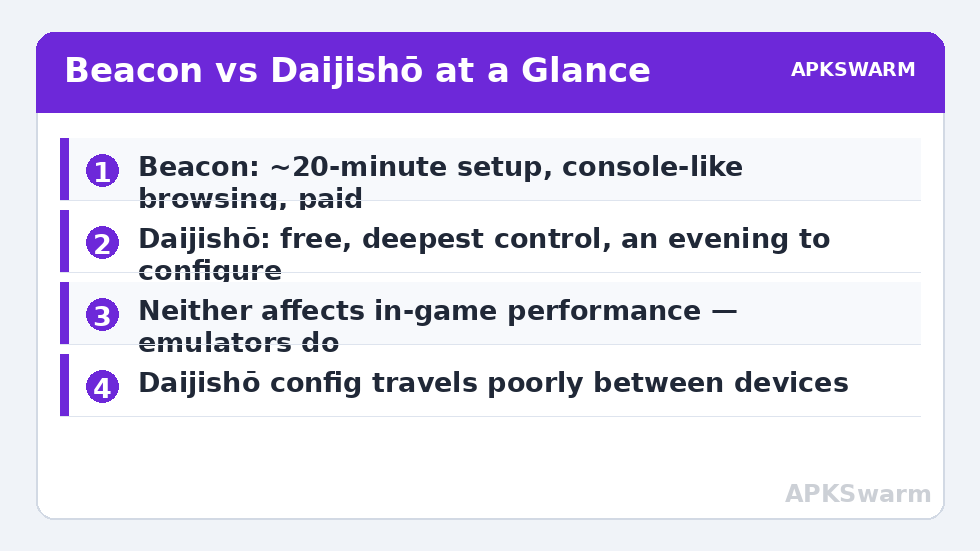
Beacon’s defining trait is how little it asks of you. Install it, grant storage access, and it scans for installed emulators and common game folders, proposing a working configuration. Most users are browsing a tidy library within twenty minutes. Its automatic player assignment is right for the mainstream systems nearly all of the time, and manual overrides exist for the exceptions.
Daijishō asks more and returns more. You add platforms deliberately, map folders yourself, choose players per platform consciously, and arrange widgets to taste. The first setup takes an evening if your library is large — our Daijishō setup guide exists precisely because the decisions reward guidance. In exchange, nothing about your library’s organisation is imposed on you: multi-disc playlists, per-platform wallpapers, favourites widgets, and unusual folder layouts are all first-class.
If you maintain several devices, the calculus shifts: Daijishō’s configuration travels poorly (it lives in app data), so each device is its own setup project. Beacon’s lighter model makes a second-device setup less of an event. One more setup difference worth knowing before you commit an evening: Daijishō rewards an owner who has already organised the SD card into per-system folders, because its platform setup is a mapping exercise between folders and players. Beacon’s scanning forgives a messier card, finding games where they lie. If your library currently lives in one giant folder, that forgiveness has real value on day one — though the organised structure will serve you better across every future device and front end, as the rest of this category keeps arguing.
Library Presentation and Daily Browsing
Beacon presents games the way a console does: platform list, game grid with box art, clean type, no clutter. It scrapes metadata and art with a ScreenScraper account and keeps the presentation consistent across systems. The browsing feel is its best feature — D-pad navigation is predictable everywhere, and the whole thing stays legible on small screens, which is why it is popular on compact devices.
Daijishō is a home screen you compose. Platform widgets, recently-played strips, a favourites row, search, random-game widgets — you lay out what you actually use. That freedom produces both the best and the worst front-end screens in the hobby, depending on the owner’s restraint. Its per-platform views are as strong as Beacon’s; its advantage is everything around them — widgets that surface your library the way you think about it.
Both handle large libraries competently; both depend on clean file naming for good scraping, which is a property of your library, not the launcher (the workflow in our box art scraping guide applies to either).
Emulator Handling and Features
- Player flexibility: Daijishō lets you attach multiple players to one platform and switch per game — valuable when one emulator runs a specific title better. Beacon favours one sensible default per platform, with overrides tucked a layer deeper.
- RetroArch depth: Daijishō exposes RetroArch core selection per platform elegantly, which core-hoppers appreciate. Beacon treats RetroArch as one player among many — fine for standalone-first users.
- Scraping and metadata editing: both scrape; Daijishō’s per-game manual editing is more granular, Beacon’s automatic pass needs less correction on standard libraries.
- Extras: Daijishō’s widget ecosystem (clocks, shuffle play, favourites) has no Beacon equivalent; Beacon counters with a tidier settings surface and less to break.
Performance and Battery on Real Hardware
Neither launcher affects in-game performance — the emulator does that — but idle behaviour differs in ways that matter on small batteries. Beacon’s restrained home screen is light: quick cold start, modest memory footprint, near-zero idle drain beyond Android’s own. Daijishō with animated wallpapers and several live widgets is heavier at the home screen and takes a touch longer to settle after boot, though in-game it is equally absent. On powerful devices (Snapdragon 8 Gen 2 class, like the Odin 2 running the setup in our Odin 2 battery guide) the difference is invisible; on entry Android handhelds it is the difference between a launcher that feels native and one that feels installed.
Whichever you pick, confirm your emulators themselves are configured for the chipset before blaming the front end for anything:
All figures are estimates based on typical titles and stock settings; individual games vary widely.
The Verdict, by User
Choose Beacon if you want the console experience with the least administration: one main handheld, a mainstream library, and a preference for browsing over building. The one-time purchase price buys you back your evenings. Choose Daijishō if your library has opinions — multi-disc sets, multiple emulators per system, per-platform everything — or if you enjoy composing your home screen and want the deepest free option available. Choose neither if your firmware is a Linux build (KNULLI, muOS, ArkOS-family) — those worlds have their own excellent front ends and this comparison does not apply; see the rest of the Handheld Tweaks category for those paths.
There is no wrong answer here, only a wrong match. The good news is that switching costs an afternoon at worst, because your games and saves live outside both apps.
Cost, Updates, and Staying Power
Money first: Daijishō is free, supported by its developer’s community goodwill; Beacon is a paid app with a one-time purchase model through the Play Store. Neither model is a red flag — but they imply different futures. Daijishō’s development pace follows its maintainer’s availability, and its feature set is correspondingly broad and occasionally uneven between releases. Beacon’s paid model funds a narrower promise kept steadily: stability, compatibility with new Android versions and devices, and support that answers. Both have survived multiple Android generations, which in this hobby is the real credential. Practical advice: whichever you choose, export or note your configuration (platforms, folders, players) in a text file on your library card. Front ends come and go across a handheld’s life; the map of your library should not live inside any single app — the same portability principle that governs saves applies to your setup notes.
Frequently Asked Questions
Is Beacon worth paying for when Daijishō is free?
If your time is worth more than the small one-time price and you want a console-like library with minimal setup, yes. If you enjoy configuring and want maximum control, Daijishō’s free depth beats Beacon’s polish for you specifically.
Do either of these launchers improve game performance?
No. Launchers organise and start emulators; performance is set by the emulator and device. Launcher choice affects home-screen responsiveness and idle battery, not frame rates.
Can I try both without breaking my library?
Yes. Your games, saves, and emulator settings live outside both apps. Install both, set each up for one or two platforms, and keep the one that fits. Only one can be the default home app at a time.
Which is better on a small, low-power Android handheld?
Beacon generally feels lighter and starts faster on entry-level hardware. Daijishō still runs, especially with a restrained widget layout and static wallpaper, but Beacon’s minimalism suits weak devices better.
What if I use a Linux-based handheld instead of Android?
Neither applies — Linux firmwares ship their own front ends (EmulationStation variants on KNULLI and ArkOS-family builds, muOS’s own interface). The comparison only matters on Android devices and phones.